Every teacher’s evidence. Collected, reviewed and ready for inspection.
Athar replaces shared drives and WhatsApp chasing with one place where teachers hand in lesson plans and duties, Heads of Department review them, and leaders see the whole school, organised by the Ministry’s evaluation items, ETEC and Cognia.
Built around the Ministry’s teacher evaluation, ETEC, Cognia and the school frameworks of the UAE, Qatar, Bahrain, Oman and Egypt, in Arabic and English.
- Ministry teacher evaluationThe 11 items of the yearly performance evaluation
- ETEC professional standardsNational standards for teachers
- Cognia accreditationEvidence packs for your accreditation visit
- UAE inspection and teacher licensingThe six performance standards and the UAE teacher standards
- Qatar, Bahrain, Oman and KuwaitQNSA, BQA school reviews and national teacher standards
- Egypt: NAQAAE and teacher standardsSchool accreditation and the national teacher standards
- Danielson and ISTEFrameworks used by international schools
Where teacher evidence lives today
Most schools collect lesson plans and portfolios the same way they did ten years ago. It works until someone has to find, check or prove something.
Without Athar
- Files scattered across shared drives, email and phones
- Heads of Department chasing teachers one message at a time
- No way to see which department is on track
- Appraisal files and accreditation evidence built by hand at the last minute
With Athar
- One weekly square per teacher per folder, on any device
- Automatic reminders, and a tracker that shows who’s done
- A live school overview: approved, overdue and on time, by department
- Appraisal files and evidence packs that build themselves as work is approved
How it works
- 1
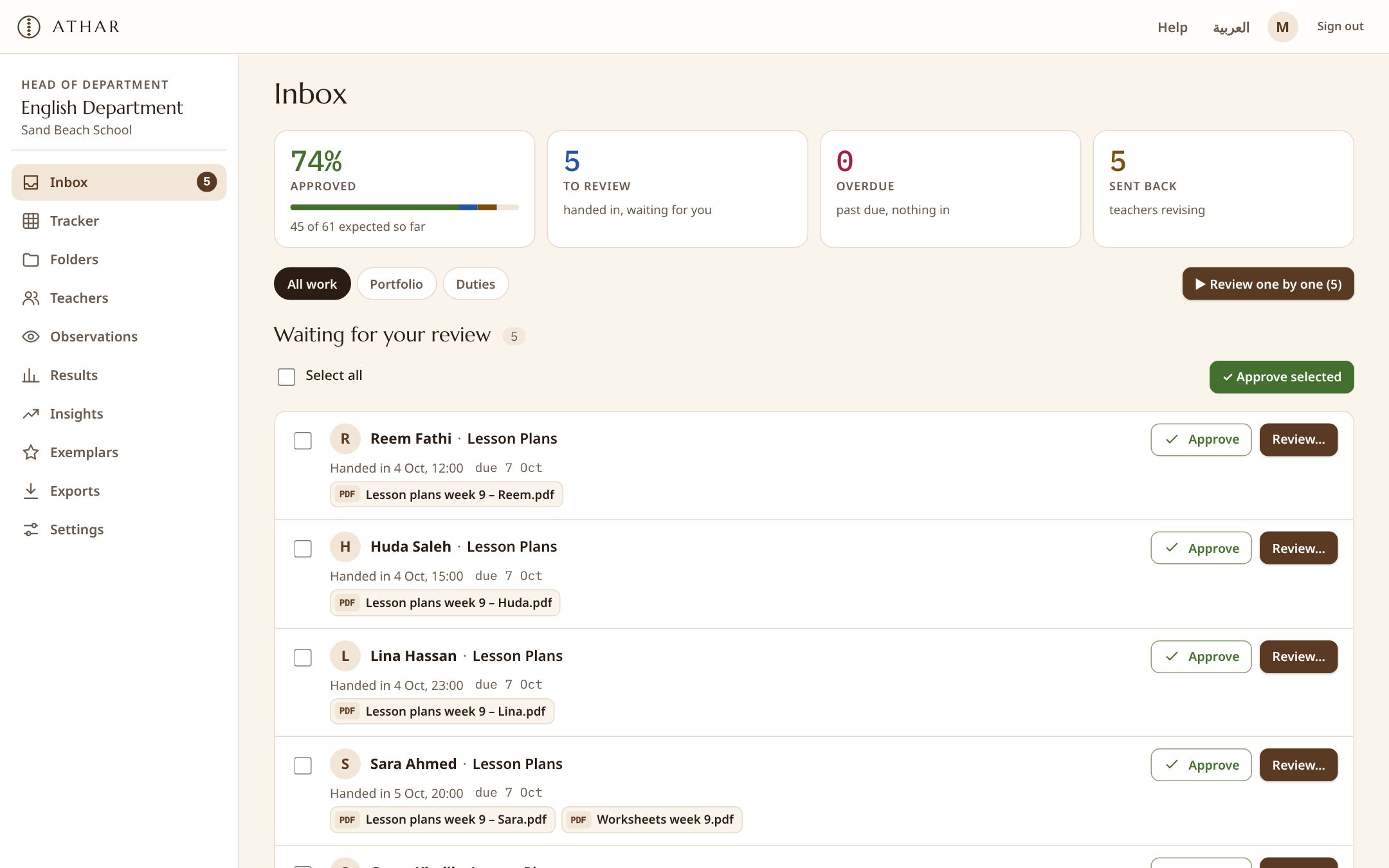
Set up your folders
Pick a ready-made set for national, IB, American or British schools, or make your own: Lesson Plans every Wednesday, Curriculum Map once a term.
- 2
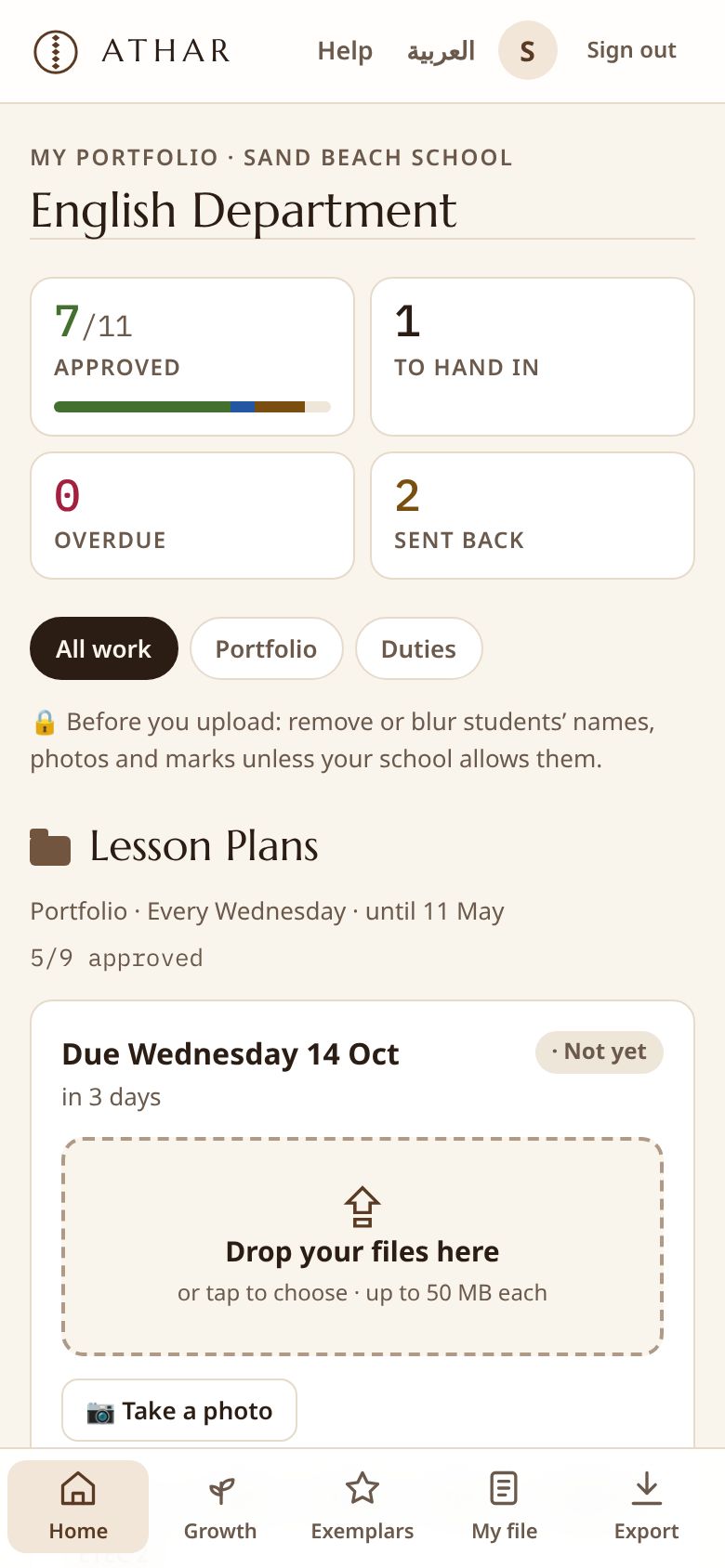
Teachers hand in
Each teacher gets a square for every due date. They drop files from a laptop or take a photo on their phone, in Arabic or English.
- 3
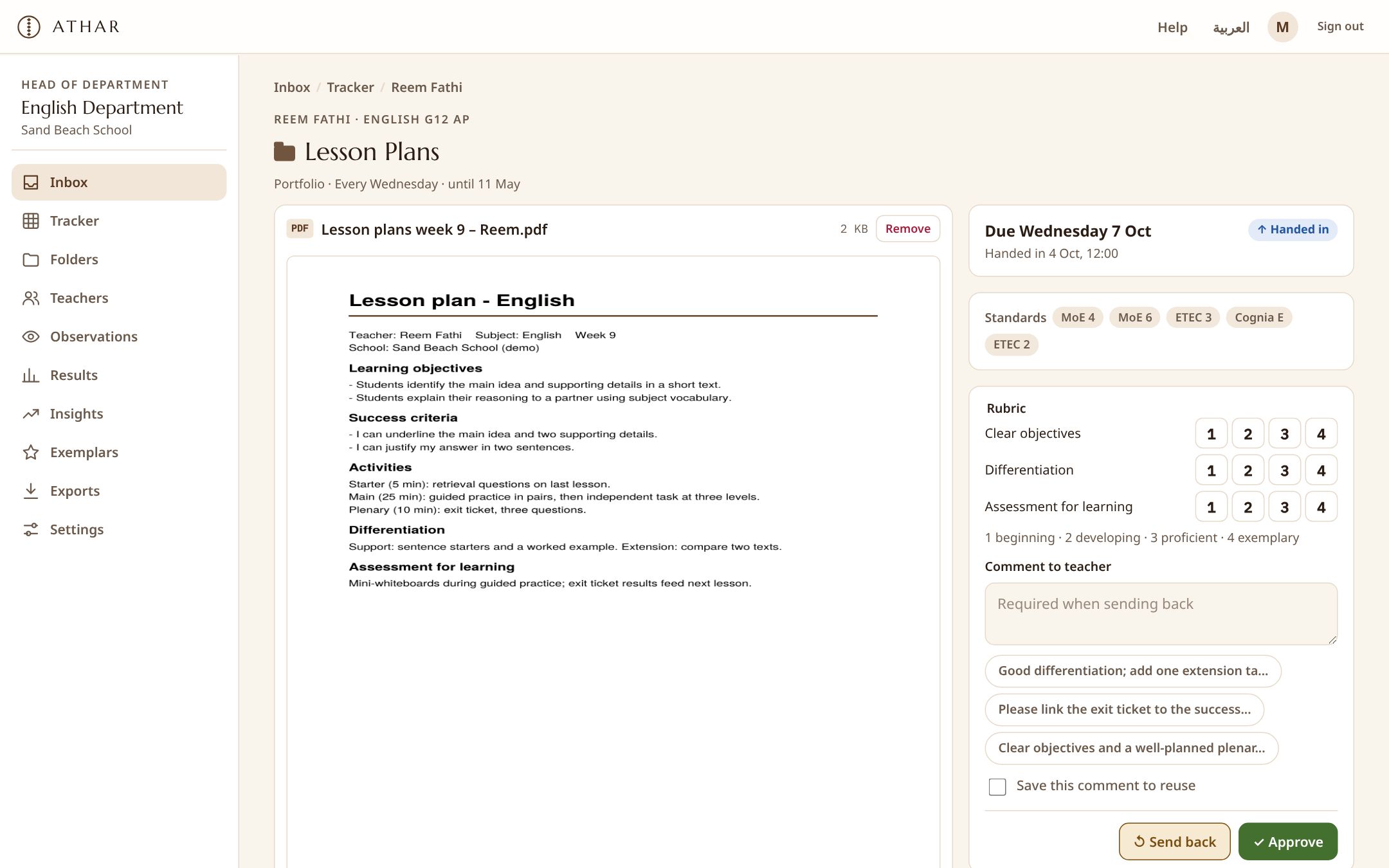
Review, tag and prove
Approve in one tap or send back with a comment. Every approved piece of work is tagged to your standards and lands in the right appraisal file and evidence pack.
Made for everyone who touches the work
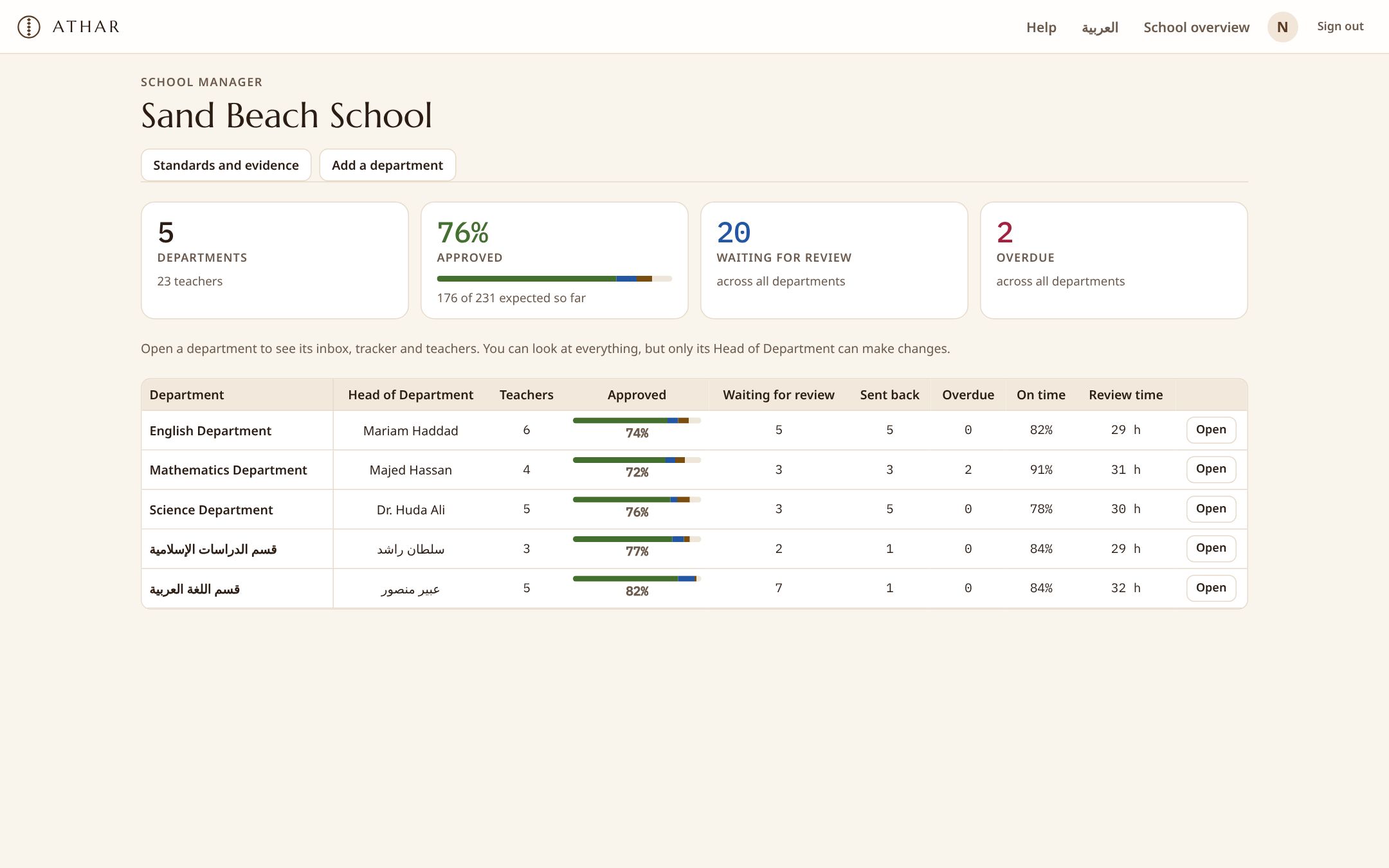
See the whole school without asking for reports
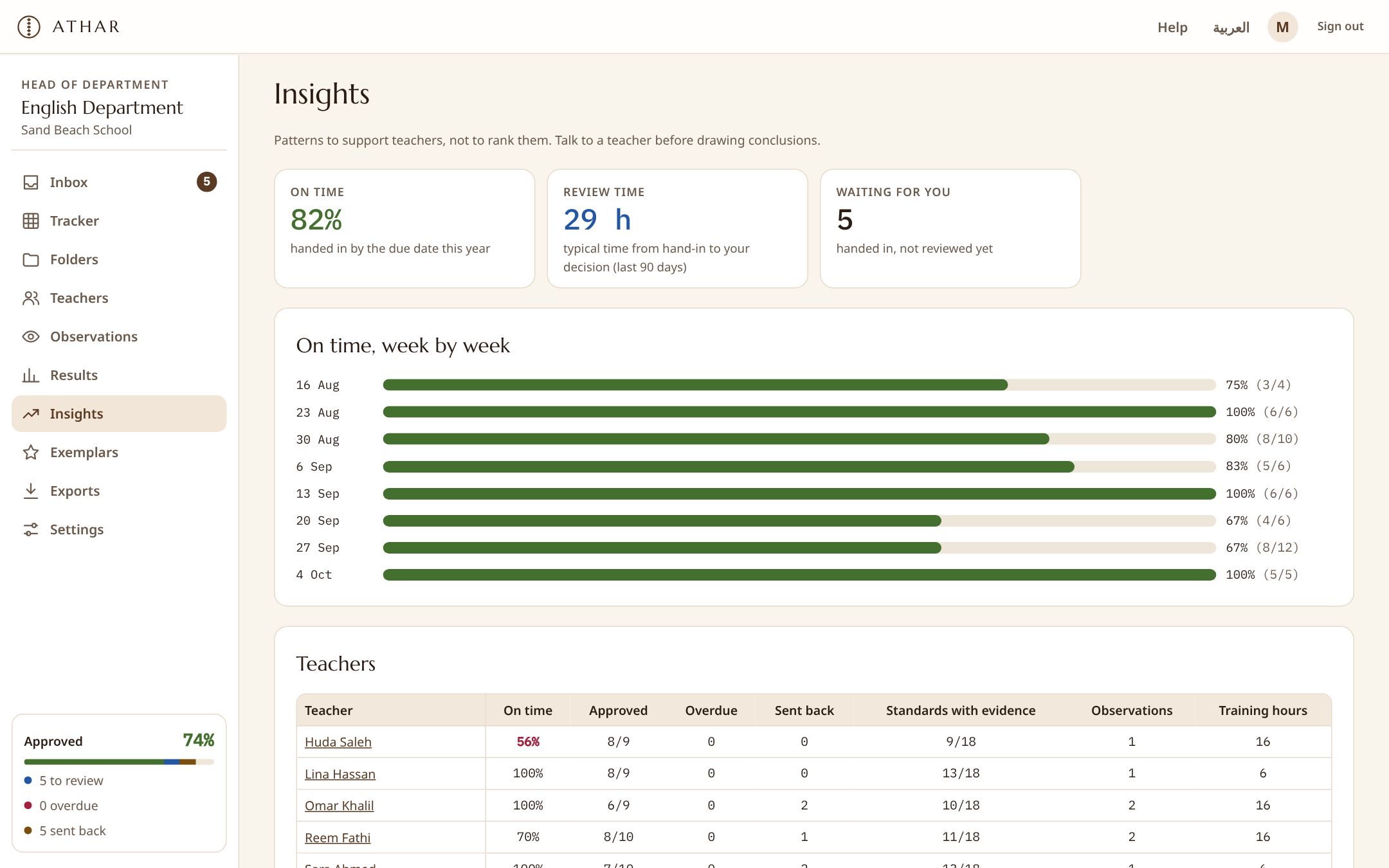
- A live overview of every department: approved, waiting, overdue, on-time rate and review speed
- Evidence packs for Cognia accreditation, printable or as a spreadsheet
- Appraisal files organised by the Ministry’s evaluation items
Spend your time on teaching, not on chasing
- Reminders go out automatically; the tracker shows who’s done
- Preview files, approve in one tap, or review one by one
- Rubrics, a comment bank, observations and growth goals in one place
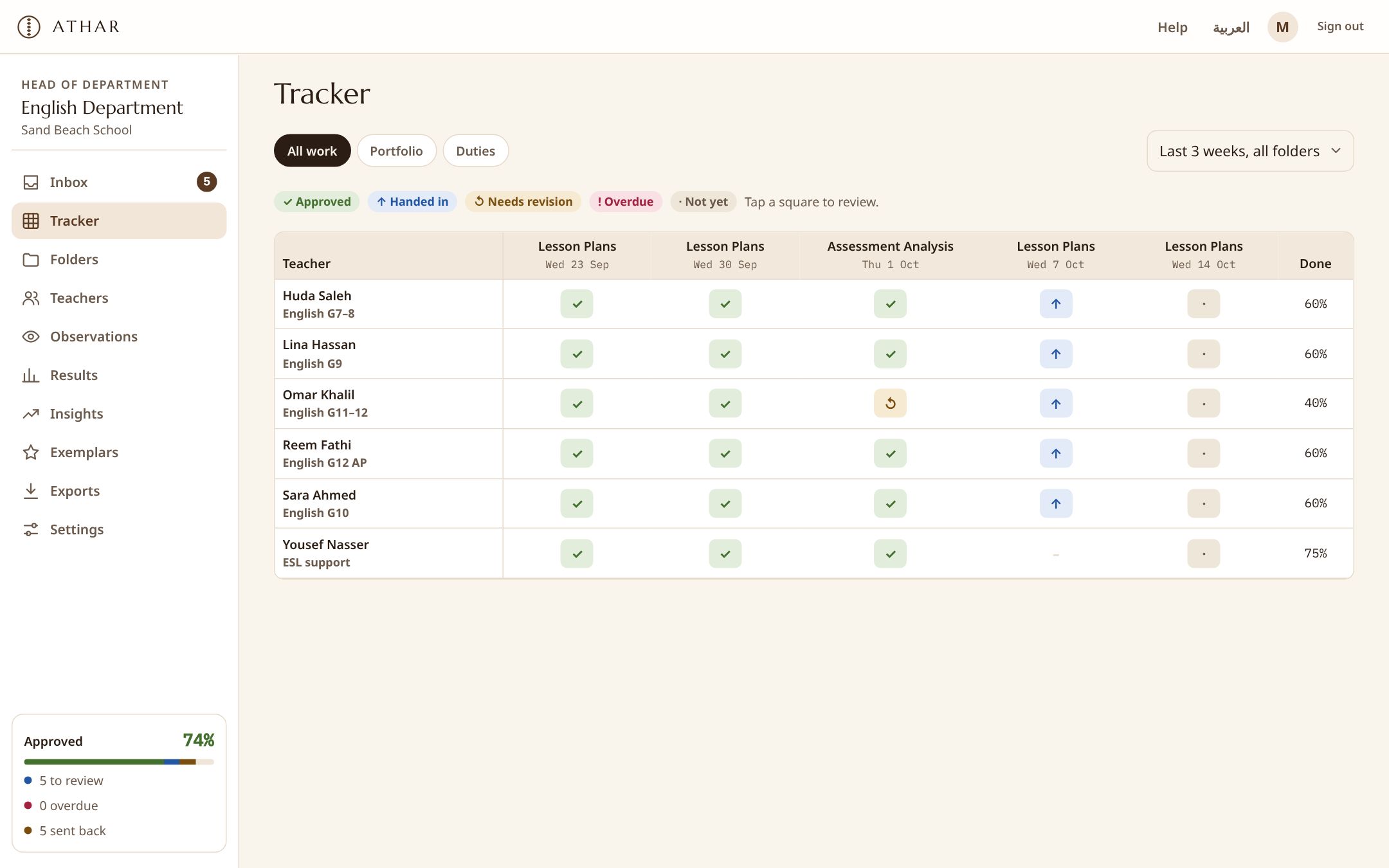
Know what’s due, hand it in, get clear feedback
- Hand in from your phone or laptop in seconds
- See your Head of Department’s comments and rubric scores
- Your appraisal file is ready at the end of the year
Secure, simple to roll out, nothing to install
- Sign in with Microsoft or Google; two-step sign-in for leaders
- Files in Athar or in your own Google Drive or OneDrive
- Data processing terms written for the Saudi PDPL
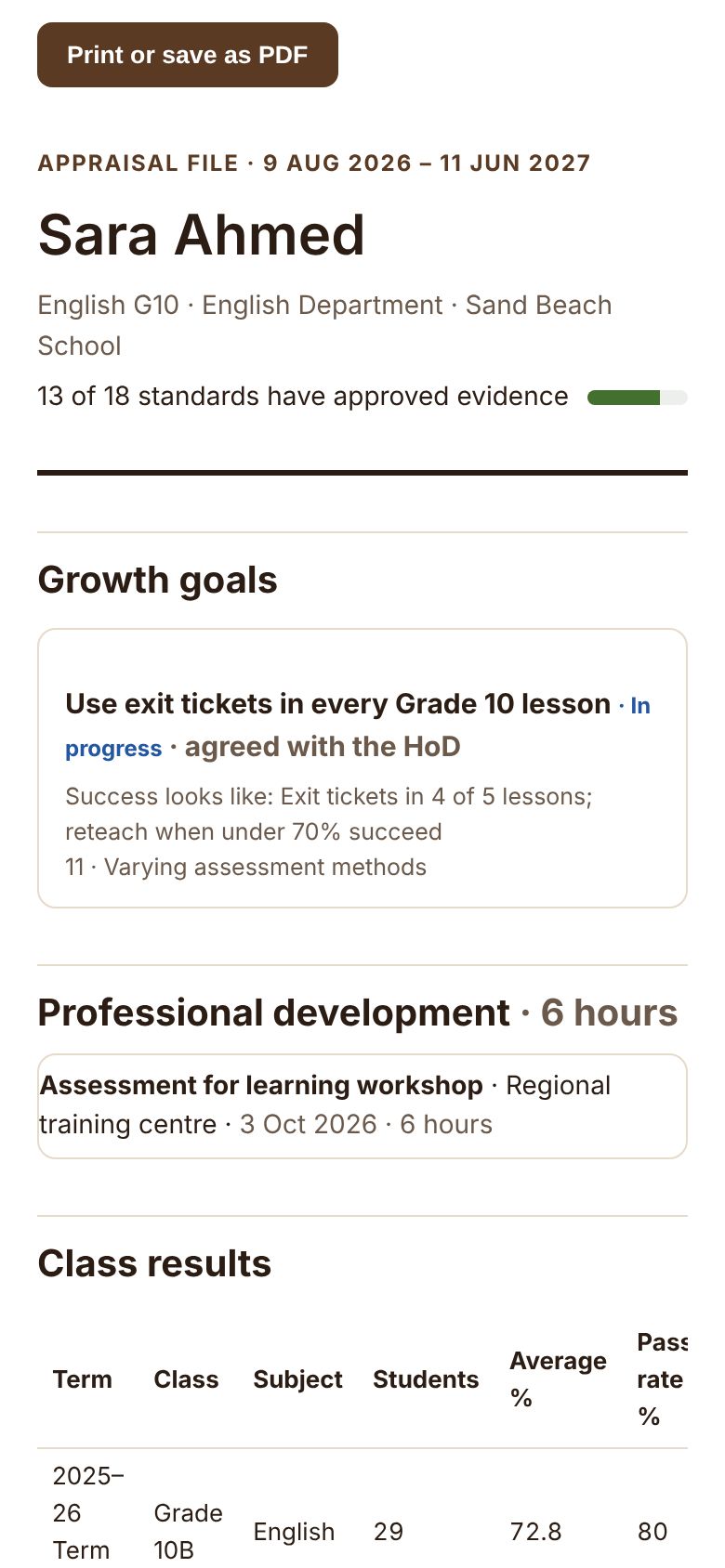
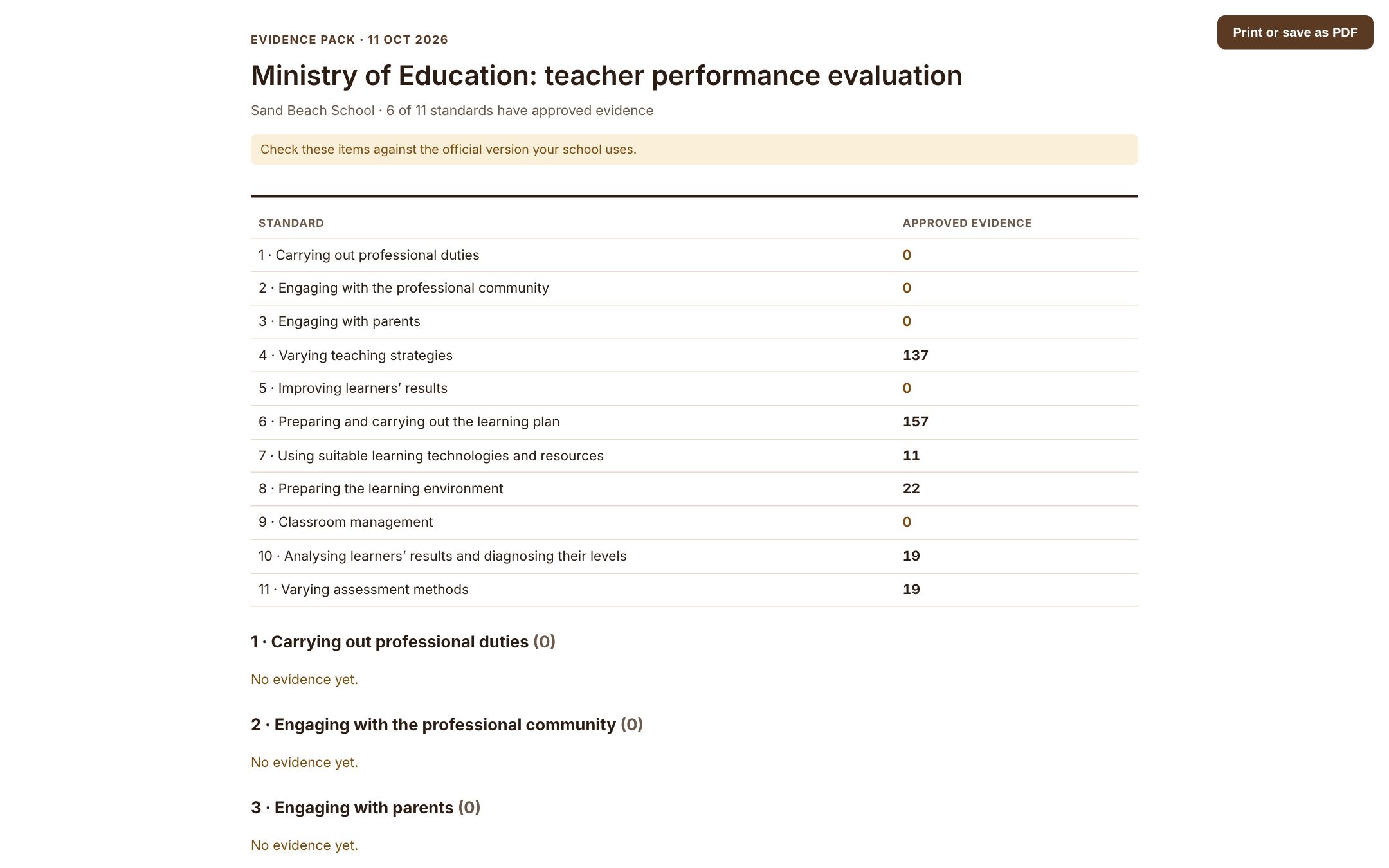
The appraisal file builds itself
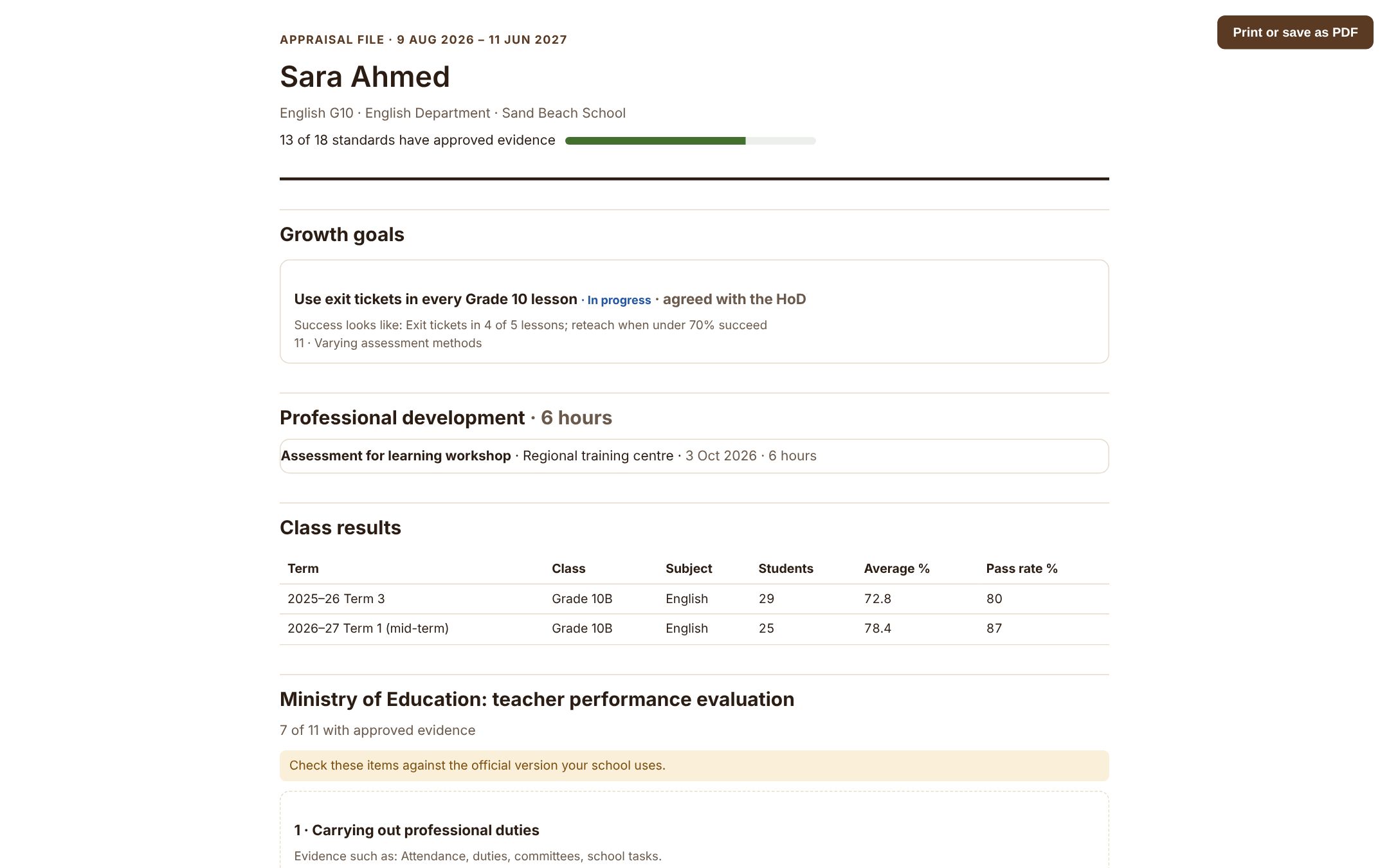
Every approved lesson plan, observation and training course is tagged to the standards your school uses. At the end of the year each teacher’s file is organised by the Ministry’s evaluation items, with coverage for every item, ready to print or share.
- Ministry evaluation items, ETEC, Danielson or ISTE
- Goals, training hours and observations included
- Printable, and included in every export
Accreditation evidence without the scramble
Choose Cognia (or any framework) once. Approved work from every department is gathered by standard into an evidence pack your accreditation team can print or download as a spreadsheet.
- Evidence from every department, by standard
- Gaps show up months before the visit
- Add your school’s own numbered standards
Review that respects everyone’s time
Files open right in the page. Approve in one tap, send back with a comment the teacher can act on, score against the folder’s rubric, or go through everything waiting in one sitting.
- Review one by one, or approve several at once
- A comment bank for feedback you give often
- Mark outstanding work as an exemplar for the department
From collecting files to growing teachers
Record lesson observations and walkthroughs, agree yearly goals with each teacher, log their training, and see patterns over the term, so conversations are about practice, not paperwork.
- Observations that stay drafts until you share them
- Growth goals agreed between teacher and Head of Department
- Insights: on-time rate, review speed and coverage
Your standards, built in
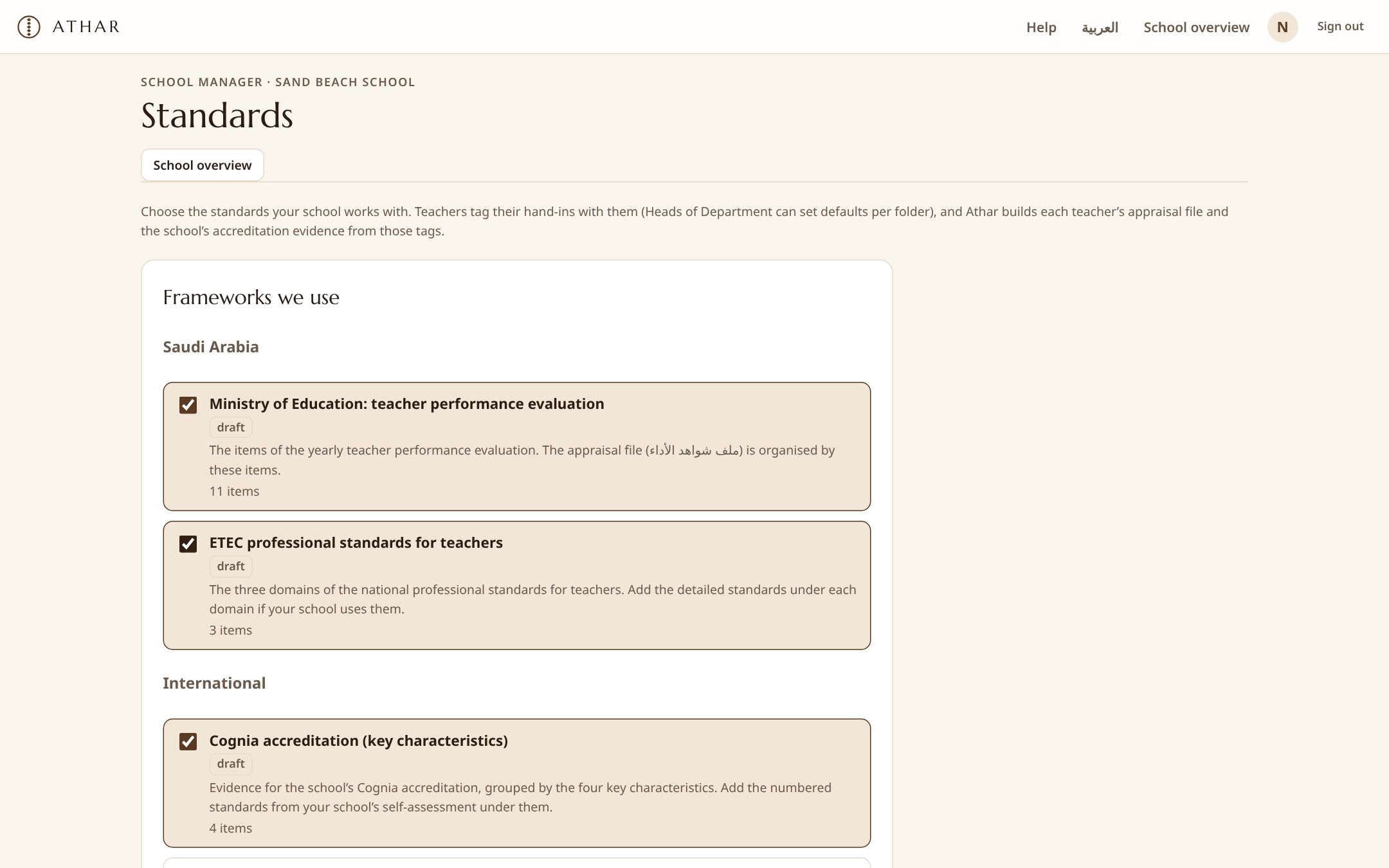
Choose the frameworks your school works with. One tag can count in several frameworks at once.
- Ministry teacher evaluationThe 11 items of the yearly performance evaluation
- ETEC professional standardsNational standards for teachers
- Cognia accreditationEvidence packs for your accreditation visit
- UAE inspection and teacher licensingThe six performance standards and the UAE teacher standards
- Qatar, Bahrain, Oman and KuwaitQNSA, BQA school reviews and national teacher standards
- Egypt: NAQAAE and teacher standardsSchool accreditation and the national teacher standards
- Danielson and ISTEFrameworks used by international schools
Serious about school data
Two-step sign-in
Required for leaders, available to everyone, with alerts for new devices.
Your storage, if you prefer
Keep files in Athar or in your school’s own Google Drive or OneDrive.
Encrypted backups every night
Copied off the server and test-restored automatically.
Written for the PDPL
Privacy notice, data processing terms and data export or deletion on request.
Guides for school leaders
<a class="s-link" href="/blog">All articles</a>-
Standards
Teacher evidence across the Gulf and Egypt: what each framework asks for
A short map of the school and teacher frameworks in the UAE, Qatar, Bahrain, Oman, Kuwait and Egypt, and how one evidence habit serves all of them.
-
Workflow
From chasing to seeing: how the department workflow changes
What a Head of Department’s week looks like before and after weekly hand-ins move into one place, and where the saved hours go.
-
Governance
Governing teacher files: from shared drives to accountable evidence
Why scattered folders are a governance risk, and the five questions any school should be able to answer about its teacher evidence.
Questions schools ask
How long does it take to start?
A department can start the same day: choose a folder set, paste teachers’ emails, and the first squares appear. A whole-school rollout usually takes one or two weeks, with our help.
Does it follow the Ministry’s teacher evaluation?
Yes. Evidence can be tagged with the Ministry’s performance evaluation items, and each teacher’s appraisal file is organised by them. Your school can check and adjust the items.
Do you work with schools outside Saudi Arabia?
Yes. Alongside the Saudi frameworks, Athar includes the UAE inspection framework and teacher standards, Qatar’s national school accreditation and teacher standards, Bahrain’s BQA school reviews, Oman’s framework for the teaching profession and Egypt’s NAQAAE standards. Any school can also add its own.
Is it in Arabic?
Every screen, email and document is available in Arabic and English, right to left where needed, with optional Hijri dates. Each person chooses their language.
Who can see teachers’ work?
Teachers see their own work and their department’s exemplars. Heads of Department see their department; the school manager can view every department. Nobody else.
Can we keep files in our own drive?
Yes. Connect the school’s Google Drive or OneDrive once and new files are stored there.
What does it cost?
Small departments can use it free. Department and School plans are priced per year; see Pricing, or speak to us for a whole-school quote.
See Athar with your own folders
In a 30-minute call we set up a department the way your school works and show you the appraisal file and evidence pack it produces.